The problem is the loop, not you.
Feeds are built to make one more swipe feel effortless. haegr gives you a calmer counterweight: rules that block the apps that pull you in, before the reflex can take over.
Stop doomscrolling
Doomscrolling rarely starts as a plan. It starts as one quick check, then a feed takes the next hour. haegr helps interrupt that loop before it becomes the default.
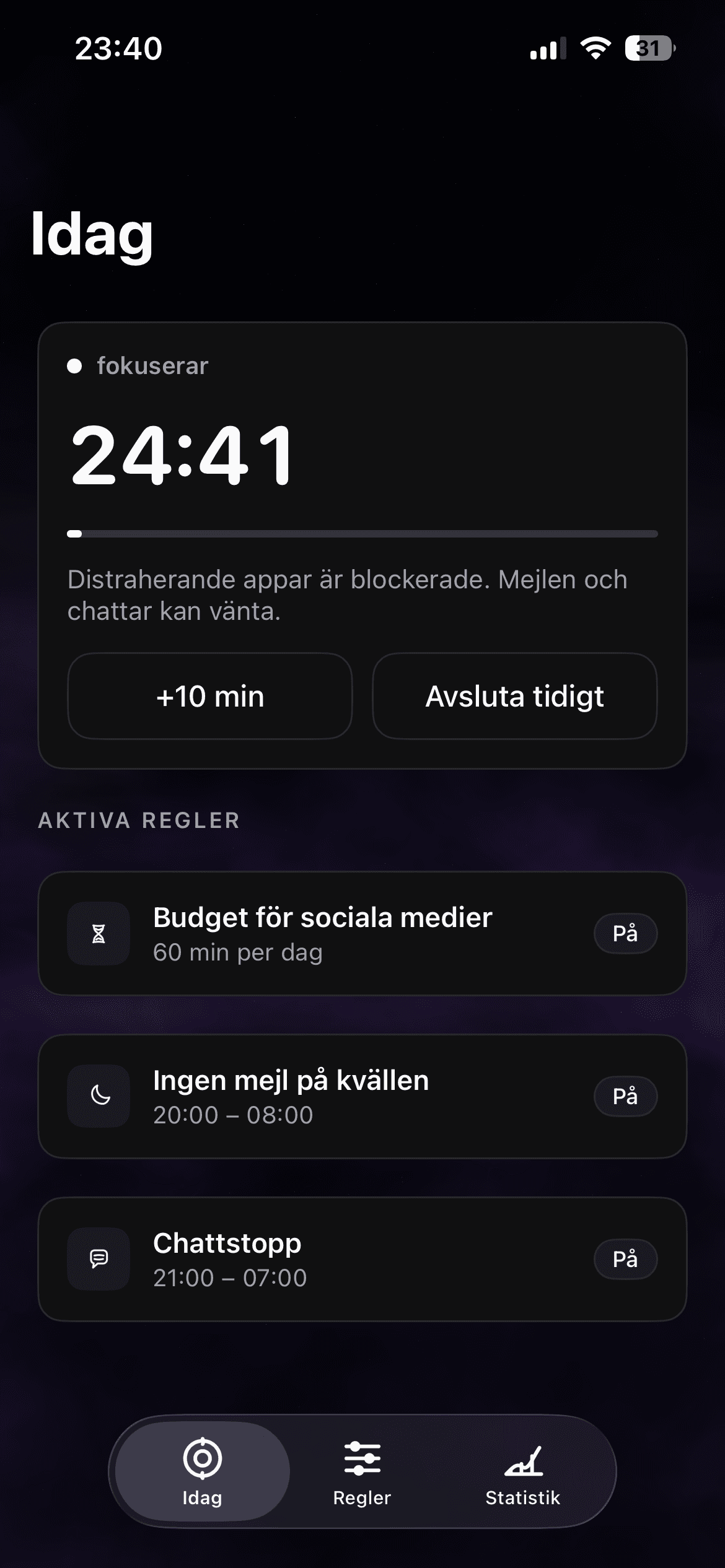
Feeds are built to make one more swipe feel effortless. haegr gives you a calmer counterweight: rules that block the apps that pull you in, before the reflex can take over.
Set evening limits, morning boundaries, or social app rules for the hours that matter. When the limit arrives, haegr shields the app and reminds you what the time was for.
The goal is not to hate your phone. It is to make social media and feeds available when you choose them, not every time your thumb gets bored.
Stop doomscrolling
It can help by changing the moment of access. haegr blocks selected apps during rules and focus sessions so scrolling is no longer the easiest default.
No. haegr is built for boundaries, not deletion. You can keep useful apps while protecting the hours where they usually take over.
Download haegr on the App Store
Download haegr on the App Store and start protecting your time today.
Download